Léa21 · Brussels · the BookTok reader
“I want a library on my phone as beautiful as the shelf in my bedroom.”
What Booxne gives herA shelf she loves to look at and a book added in two taps.
 BooxneReading tracker · iPhone
The reading journal that turns every book you read into a colorful spine on your shelf. Designed and built on my own, from UX research all the way to the App Store.


(01) The project
Reading apps look like spreadsheets or social networks. With Booxne, every book you read becomes a colorful spine on your shelf, and your data stays private.
(02) The problem
Before drawing a single screen, I defined three typical readers and studied four competing apps. The finding: they look like spreadsheets or social networks, and leave little room for emotion.
Léa21 · Brussels · the BookTok reader
“I want a library on my phone as beautiful as the shelf in my bedroom.”
What Booxne gives herA shelf she loves to look at and a book added in two taps.
Thomas28 · Lyon · the note-taking reader
“I read to learn. If I don't write anything down, I've forgotten it all within a month.”
What Booxne gives herPrivate notes for every book, neatly organized quotes, and everything synced with iCloud.
Emma17 · Liège · the one who wants to read more
“I have loads of books waiting for me, I just need a little nudge to get started.”
What Booxne gives herA clear yearly goal, a shelf that fills up before her eyes, and a streak that encourages her every day.
| App | What we keep | What we do differently |
|---|---|---|
| GoodreadsThe social network for reading | The yearly goal and three simple statuses. | A visual, private shelf instead of a social network made of lists. |
| StoryGraphStatistics | Readable stats and import from another app. | Fewer numbers, more emotion: the shelf comes before the charts. |
| BooklyThe timer and habits | Day streaks and a summary card to share. | The shelf at the center, rather than a timer to start every time you read. |
| ShelfLifeThe social visual shelf | The joy of seeing your spines and a shelf of your own. | Private and account-free, with spines generated from the cover. |
Key takeawayCompetitors bet on social features or on numbers. Booxne stands out with a visual shelf that's a pleasure to fill and private data in iCloud, with no account and no social network.
(03) The process
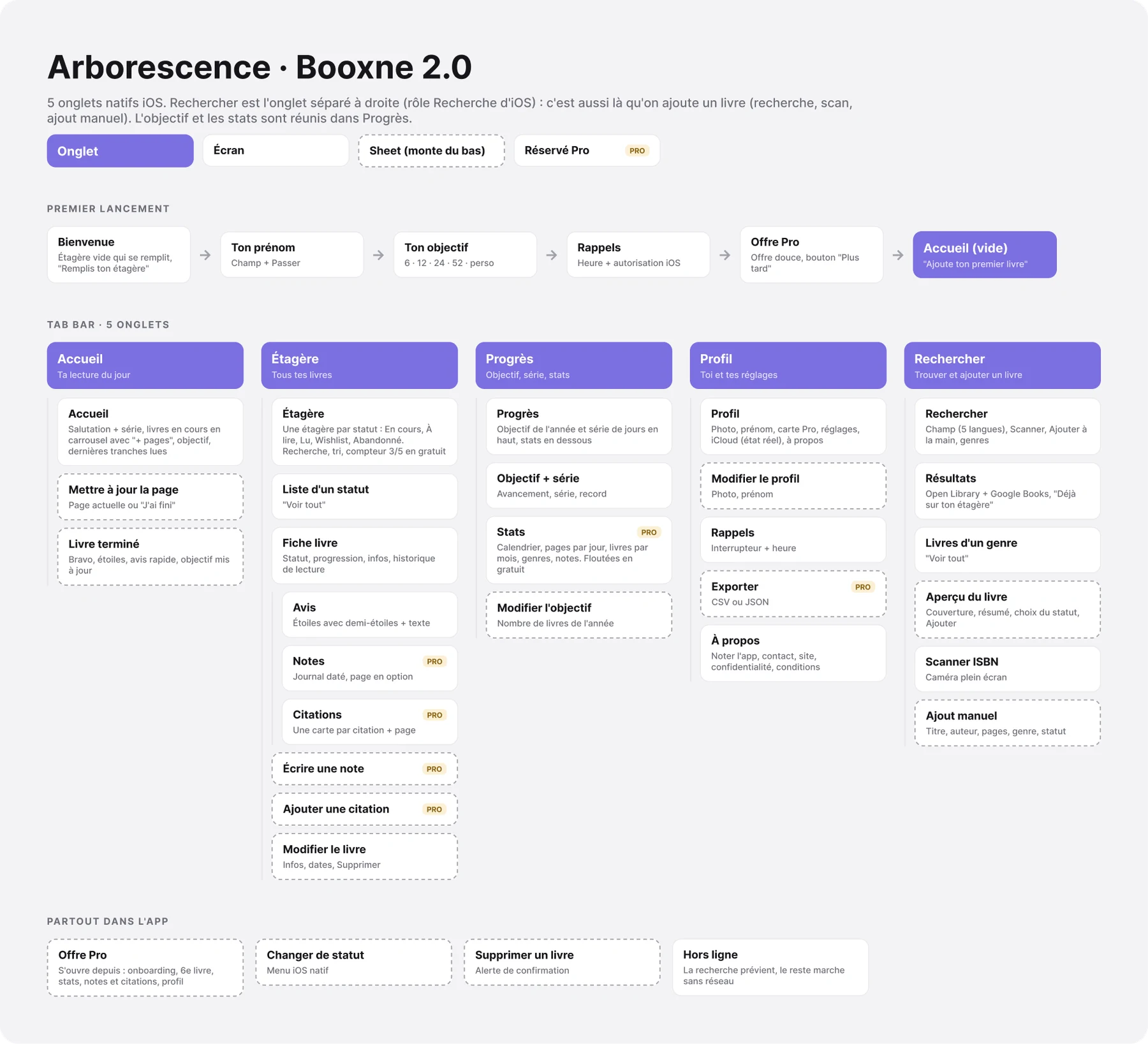
Every decision comes from research. Everything is documented in my Figma file, from the personas to the App Store visuals.
(04) The app in detail
Scroll down: the iPhone changes screen with each feature.
01 · Shelf
Spines automatically take on the color of the cover. Your library finally looks like the one in your bedroom, not a spreadsheet.
02 · Pastel mood
One tap arranges the spines in pastels, sorted by color. Both moods rely on the same design system.

03 · Home
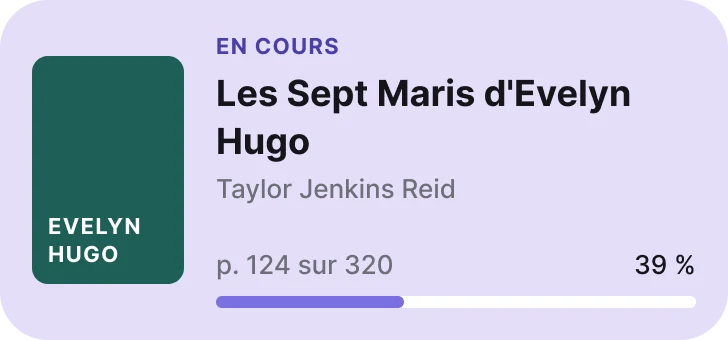
Home shows the books you're reading and a button to add your pages in two seconds. The yearly goal and the streak always stay in sight.
04 · Book finished
Finishing a book triggers a small celebration: the spine joins the shelf, the goal moves forward, and you rate it with half stars.

05 · Notes and quotes
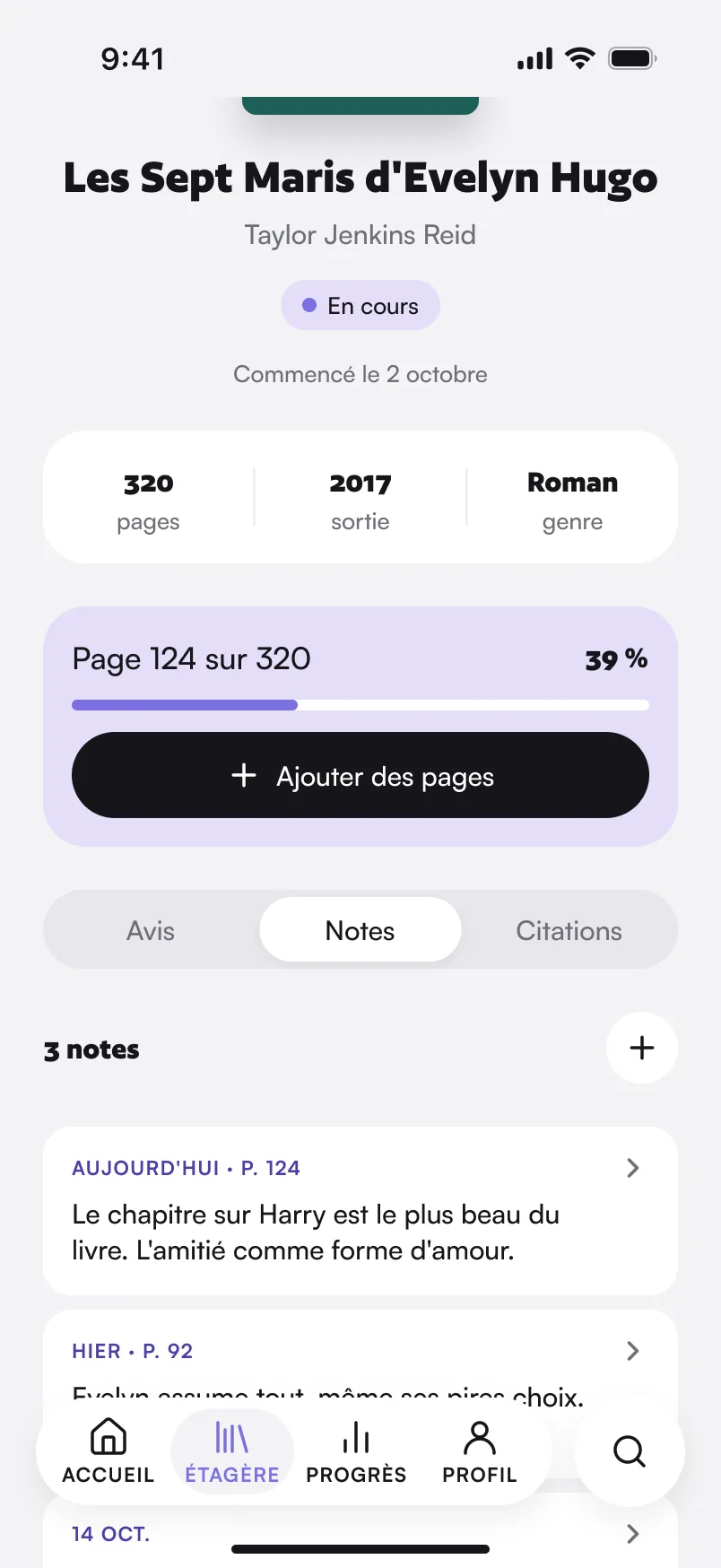
Dated notes with page numbers, quotes organized as cards: everything you want to remember from a book in one place. It's what Thomas, one of my personas, needs.
06 · Progress
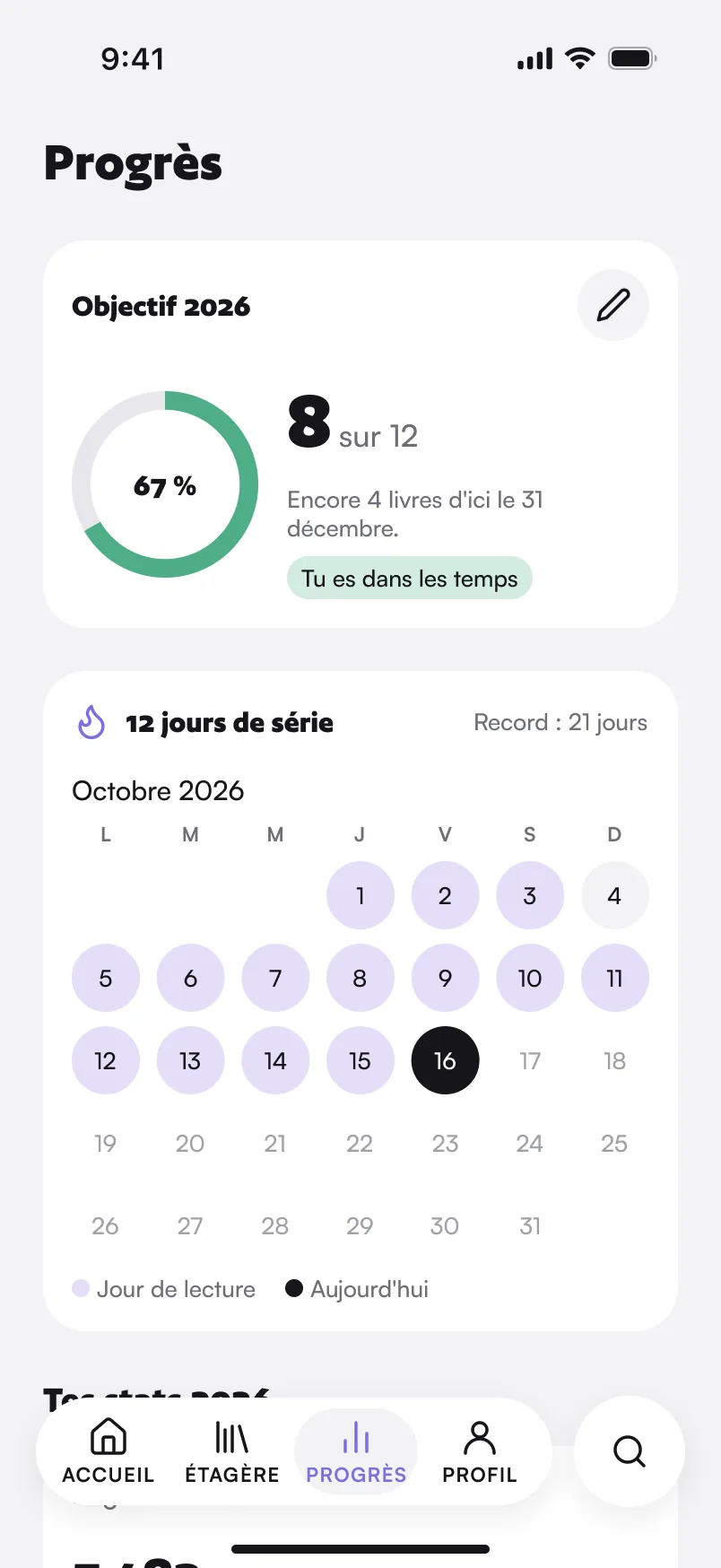
A yearly goal ring, a reading calendar and stats that make you want to read more, without drowning you in numbers.
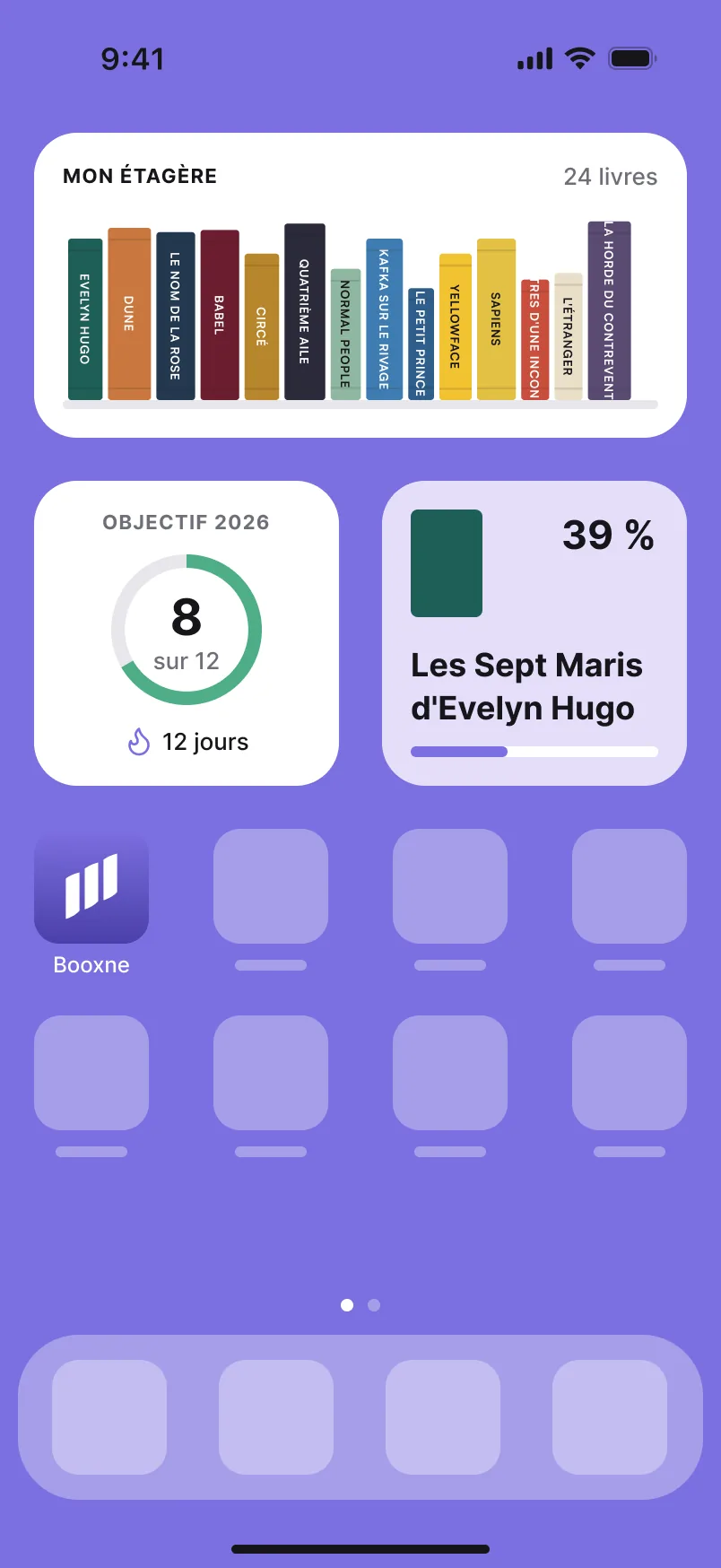
07 · Widgets
Widgets for the current book, the goal and the streak, and the whole shelf. Plus a button to share your shelf as an image, story style.
(05) Design system
A very light gray background, white cards, a near-black ink and lavender as the accent. The soft colors are used for statuses and for spines without a cover.
TypographyAuthor for headings · Satoshi for body text
(06) On the App Store
I also create the App Store listing visuals, in five languages, in the same Figma file as the app.


(07) What I take away
Booxne starts from a simple idea: a beautiful shelf makes you want to read. Everything else follows from there.
An idea, a question about my apps, or just want to talk design? Let's talk.
Get in touch