Too many photos, too many taps
Screenshots, duplicates, forgotten videos: the library keeps growing, and deleting one photo at a time quickly gets discouraging.
 SwippezPhoto cleaner · iPhone
Sort your photo library with a single swipe, like flicking through cards. I designed and built it on my own, from the first idea all the way to the App Store.


(01) The project
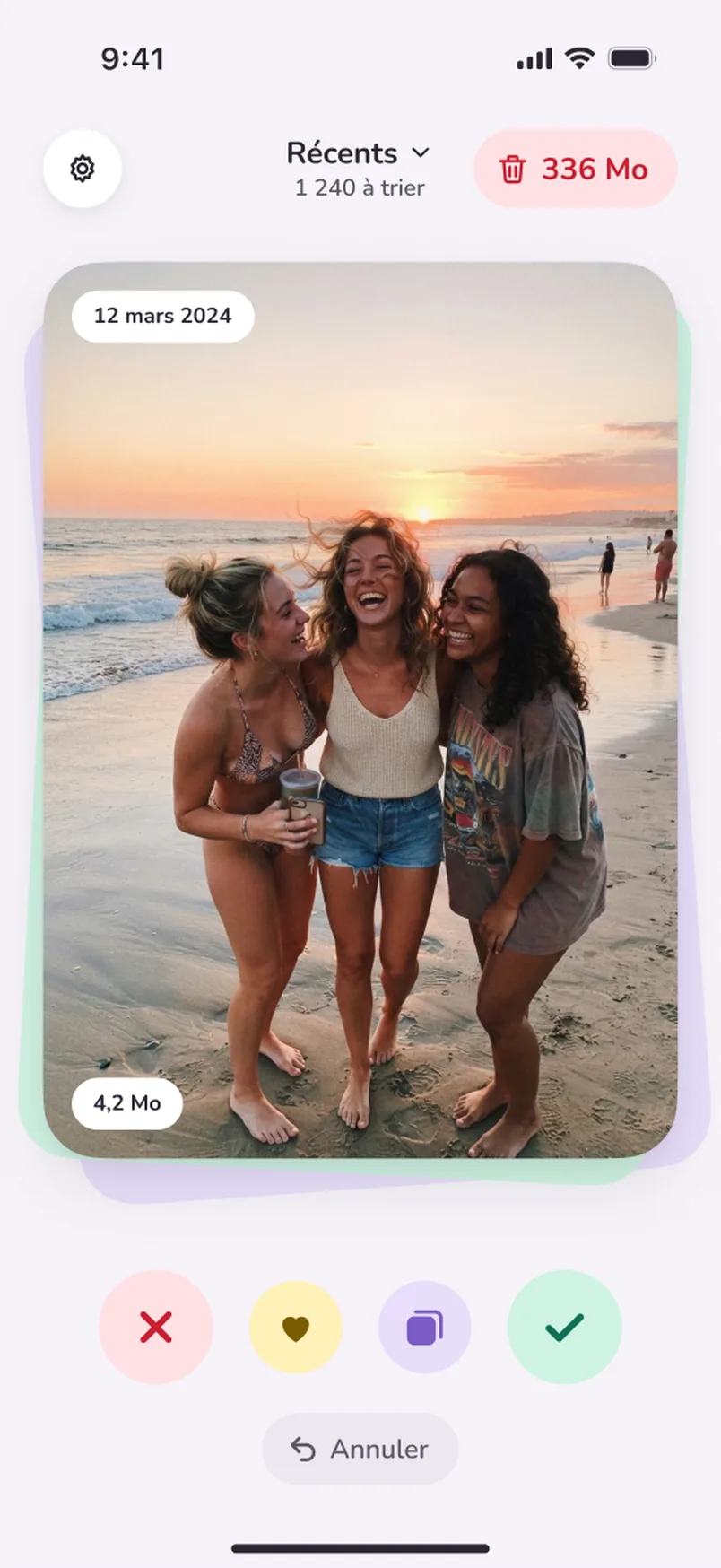
Thousands of photos, and never the energy to sort them. Swippez turns your library into a stack of cards: left to delete, right to keep. Nothing is deleted until you confirm, and your photos never leave your iPhone.
(02) The problem
Sorting photos in the Photos app takes time: you open each picture, hesitate, then give up. Swippez was born from these three frictions.
Screenshots, duplicates, forgotten videos: the library keeps growing, and deleting one photo at a time quickly gets discouraging.
Delete one photo by mistake, and you don't dare touch anything anymore. A safety net was needed before emptying anything.
Accounts, photos uploaded to a server, ads: many cleaner apps ask for too much. Swippez sorts everything on the iPhone, with no account.
(03) The app in detail
Scroll down: the iPhone changes screen with each feature.
01 · Sorting
Each photo shows up big, like a card. Swipe left to delete it, right to keep it: the Delete or Keep stamp confirms the gesture before you even let go.

02 · Favorites
A photo you really don't want to lose? Swipe up: it becomes a favorite, with the yellow stamp. The buttons at the bottom do the same, for those who prefer to tap.

03 · Albums
Swipe down and tap an album: the photo is filed there, without opening the Photos app. A new album takes just one tap too.

04 · To Delete
Every photo you swipe away waits in “To Delete”. You review everything in a grid, restore with one tap, then empty it all at once.
05 · Month by month
Sorting moves forward month by month, with shortcuts for the heaviest videos, screenshots and selfies. Each finished month shows its summary.
06 · Space freed
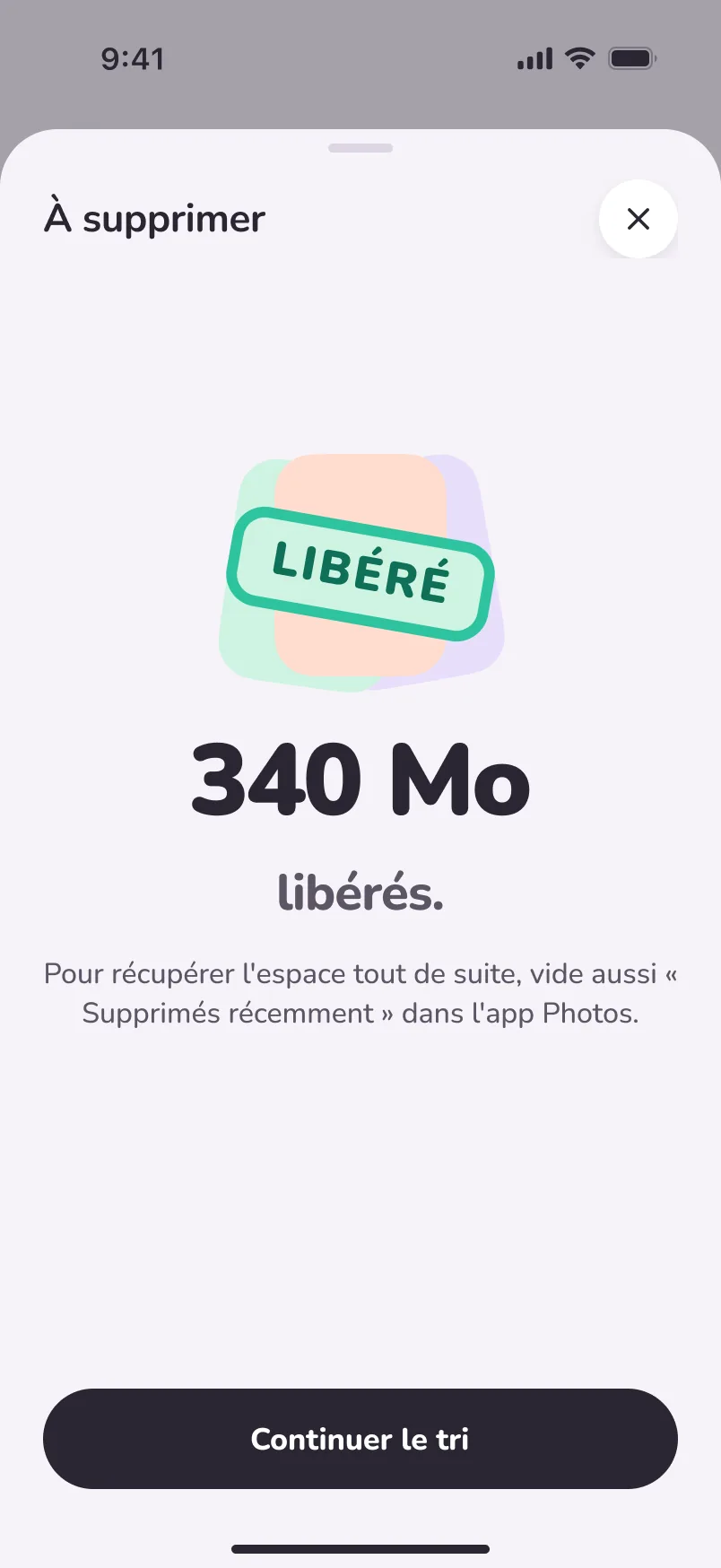
One tap to empty “To Delete”, and the freed space shows up big. Everything happens on the iPhone: no account, no ads, no server.
(04) Design system
Sorbet colors, a plum ink and a stamp for every gesture. The 24 role colors exist in light mode and in dark mode, with contrast checked against WCAG guidelines.
TypographyNunito, from headings to the smallest text

(05) On the App Store
I also create the App Store listing visuals, in the same Figma file as the app, with one sorbet color per visual.


(06) What I take away
Swippez starts from a simple idea: sorting your photos should be as quick as a swipe. The whole design serves that gesture.
An idea, a question about my apps, or just want to talk design? Let's talk.
Get in touch